We went completely screen-free in this house a while back, so anything with a screen usually gets a hard no from me before it’s even out of the box. Dex is the first thing I’ve said yes to in ages, and only because it’s not really a screen in the way a tablet is. It’s a language-learning camera, and I’ve been curious about it since I first read what it does. There’s a lot to get through on what it is, how it works, and the story behind it, so let’s start there.
Scroll to the bottom for a 10% discount code off your own Dex Camera!
What Is the Dex Camera?
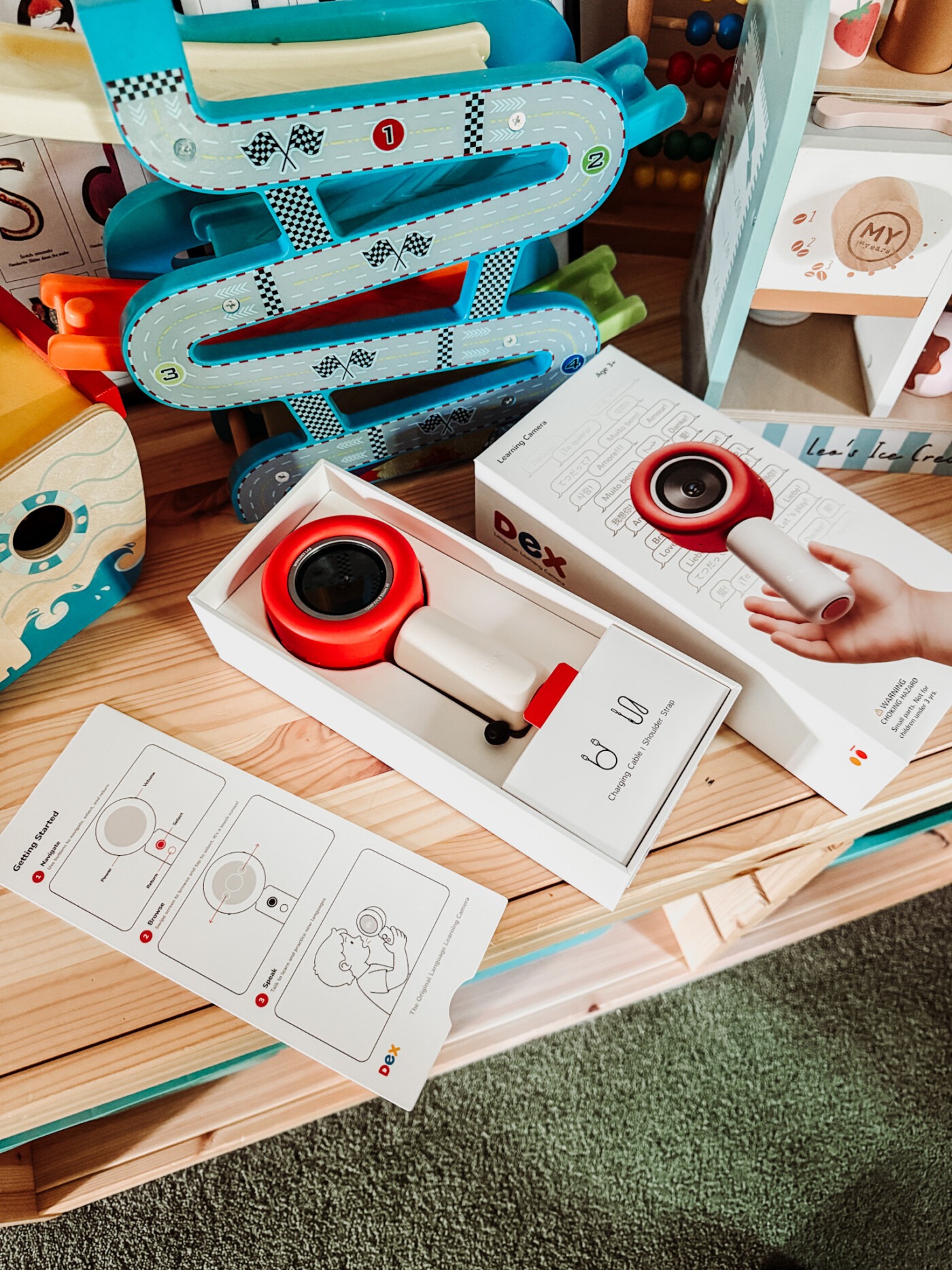
Dex is a handheld camera built specifically for kids, designed to teach a new language through real world exploration and interactive play rather than an app or a screen. It looks a bit like an old-fashioned magnifying glass crossed with a chunky little camera: a lens on one side, a small touch screen on the other, and a simple handle sized for smaller hands.
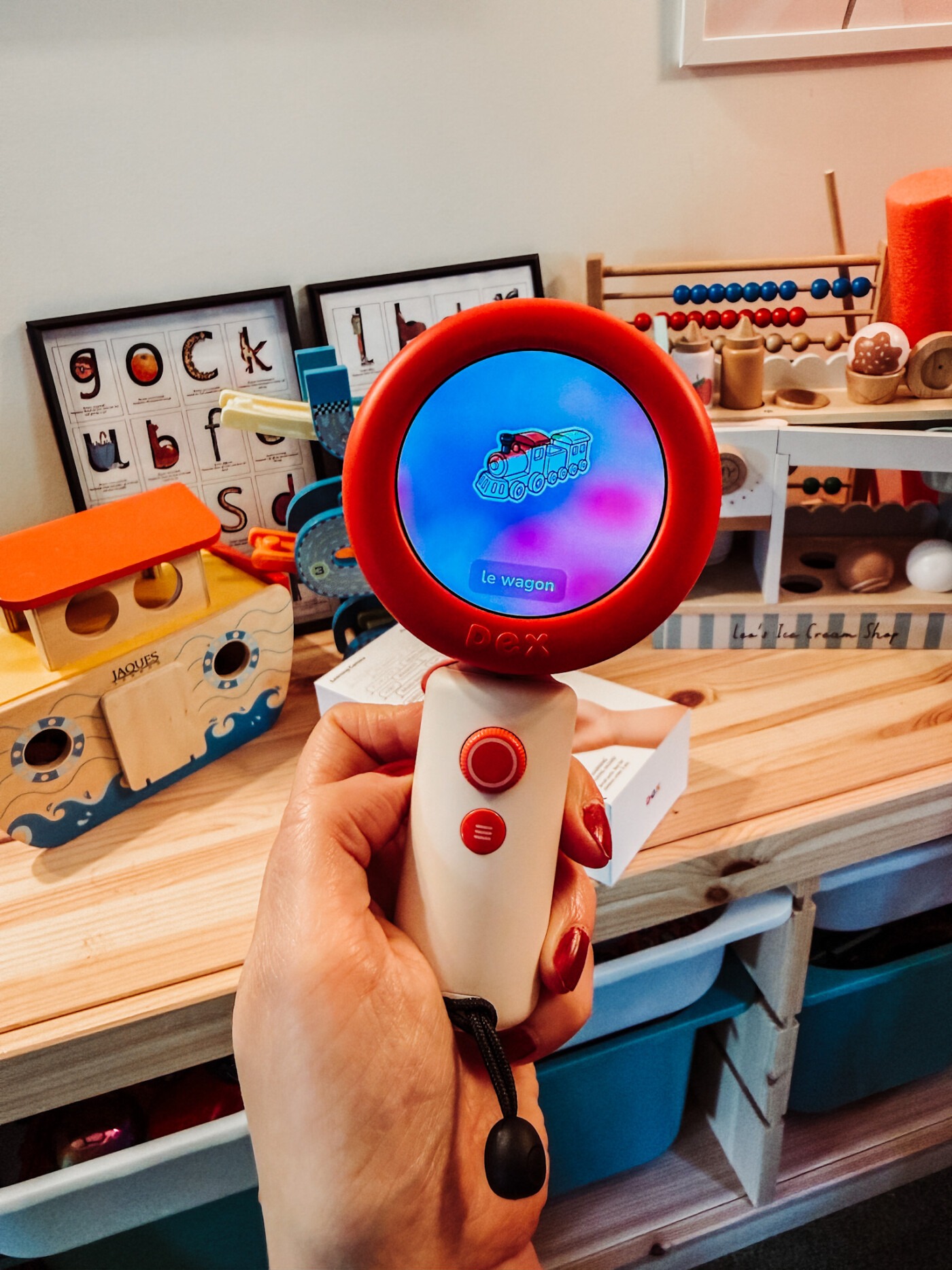
The idea is straightforward. A child takes pictures of objects around them, whether that’s a mug on the table, a dog in the park or a snail on the patio, and the camera identifies each one using AI, giving instant feedback and teaching the word for it in whichever language you’ve set as the target language. It’s meant to turn ordinary moments, the school run, teatime, a walk to the shops, into small pockets of language learning grounded in the physical world, without anyone sitting down for a lesson.
Key Specs at a Glance
| Feature | Details |
|---|---|
| Camera | 13MP camera, clear photos for detail recognition |
| Display | 2.1″ colour touchscreen, 480 x 480 resolution |
| Audio | Clear speakers (2W) and dual microphones |
| Battery | 2,900mAh, lasts several hours, fast charging via USB-C |
| Connectivity | 4G LTE, Wi-Fi (2.4 & 5GHz), Bluetooth 5.0 |
| Memory | 2GB RAM, 64GB storage, holds thousands of photos |
| Size & Weight | 35 x 90 x 40mm, 205g (7.2oz), fits in a child’s hand |
| Languages | Spanish, English, Mandarin, Arabic, Korean, Hindi, French, Russian, Japanese, German, Italian, Cantonese, Polish, Ukrainian, Vietnamese and Portuguese |
| Safety & Compliance | Meets US toy safety standards and children’s privacy laws (FCC, CPSIA, RoHS, ASTM F963, COPPA-compliant) |
| What’s Included | Starter pack with 10 activities and unlimited camera usage. Paid plans offer fresh content daily and custom activities |
The Story Behind Dex
Dex was created by three former tech employees, Reni Cao, Xiao Zhang and Susan Rosenthal, who left their jobs after becoming concerned about how much screen time their own children were racking up. Cao is CEO, Zhang is CTO, and Rosenthal heads up operations. The brand has picked up a fair bit of attention since launching, including a feature on Good Morning America and coverage from outlets like TechCrunch.
The company raised $4.8 million in funding, with backing from ClayVC, EmbeddingVC, Parable and UpscaleX. Notable angel investors include Pinterest founder Ben Silbermann, Curated co-founder Eduardo Vivas, Lilian Weng (former head of safety at OpenAI), and Richard Wong. It’s reassuring to know a product aimed at young children has that level of scrutiny behind it, not just from parents but from people with a background in safety and privacy.

How Dex Works
Every photo becomes a small discovery, built around what the brand calls the magic of curiosity. Snap a picture of the same object more than once and Dex adds a new layer each time, colour, shape, function, a bit of a story, so a single snail might teach a new Spanish word for “snail” on day one and “slow” or “shell” a week later. There’s no skill required either. Even a blurry photo gets a response, which feels like a sensible bit of design for a three-year-old holding a camera for the first time.
Beyond simple word recognition, Dex has an Interactive Story Library, made up of interactive stories and interactive lessons that listen back, where speaking the correct word or phrase in the target language moves the story along and changes how it ends. There’s also a scavenger hunt mode, where parents can set missions for a specific location, a museum, a park, a theme park, turning wherever you are into a bit of an adventure. Every new word or picture your child captures gets turned into a flashcard automatically, and the app logs the key words they’ve picked up, bringing them back around in flashcard games so the vocabulary actually sticks rather than being a one-off “oh, that’s nice” moment.
The company is also trialling free-form conversations with AI chatbots, so children could eventually just talk to Dex rather than working through set activities, though this is still being tested for safety before a wider rollout.
Parents get their own side of things too, through a companion app that shows what their child has been exploring in real time: new words picked up, objects captured, and roughly how engaged they’ve been. There are custom activities available on the paid plans as well, on top of the starter pack that comes with the device.

Languages and Dialects
This is where Dex has impressed me on paper. It currently covers 16 languages and more than 30 dialects, all live on the one device from the very first photo. You pick one selected language at a time as your child’s target language, rather than switching between several, and you can adjust it any time in settings.
Spanish alone includes Mexico, Spain, Chile, Colombia, Cuba and Puerto Rico. Arabic covers Egypt, the Gulf, Levantine and Modern Standard Arabic, so if you specifically wanted Egyptian Arabic rather than the more commonly taught Modern Standard version, that’s an option. Chinese covers Mandarin from the mainland, Malaysia, Singapore and Taiwanese Mandarin, plus a Cantonese beta. There’s also English in UK and Australian variants, which is a nice touch for families outside the US.
You can also set the difficulty level from beginner through to advanced, where Dex will speak entirely in the selected language rather than switching back to English to explain things. That flexibility across different ages and different languages, and the fact you can tailor it to a child’s interests, seems built with multilingual families in mind just as much as families learning a second language from scratch, whether that’s a grandparent’s native language or something entirely new to the household. It’s also flexible enough to suit younger children and older kids within that 3-8 age range, since Dex adjusts how it responds as they grow.

Design and Durability
Dex is built using non-toxic materials with rounded edges and a non-slip grip, which matters when the whole point is a small child carrying it around outside rather than sitting still with it. It weighs 205g and measures roughly 35 x 90 x 40mm, so it’s pocket-sized, and it comes with a complimentary shoulder strap for carrying it on the go.
It’s rated to handle everyday knocks that come with real life exploration, and reviewers have mentioned it working even in dim light. That said, like most consumer electronics, Dex should still be kept away from water, extreme heat and properly rough handling, so it’s durable rather than indestructible.
On the tech side, there’s a 13MP camera, a 2.1 inch colour touch screen, 2GB RAM and 64GB storage, which holds thousands of photos. Battery life is rated at several hours from the 2,900mAh battery, with fast charging over USB-C, and connectivity covers 4G LTE, Wi-Fi and Bluetooth, so it works away from home rather than only on the household Wi-Fi.

Privacy and Safety
Given this is a camera that a child carries around and speaks to, I wanted to properly dig into how Dex handles children’s information before writing another word about it.
Dex states that children’s privacy is a top priority, and that it doesn’t collect any data for marketing purposes. It says it enforces zero data retention, meaning it doesn’t store photos or voice recordings of children, and that parents retain full control over any saved content through the app. The device itself is certified against US toy safety standards including FCC, CPSIA, RoHS and ASTM F963, and Dex describes itself as compliant with the Children’s Online Privacy Protection Act. Being COPPA-compliant and holding formal COPPA Safe Harbor status through a third-party programme like PRIVO or kidSAFE aren’t quite the same thing. Dex states direct compliance rather than a Safe Harbor certification, so if that distinction matters to you, have a read of their privacy policy page in full before you buy.
On the safety side, there are built-in content filters and safety filters designed to catch anything inappropriate before it reaches your child, and parents can set custom word blocks on top of that. Dex says it adjusts responses based on a child’s age and language level, so what a three-year-old sees is different to what an eight-year-old gets. There are also parental controls within the app to manage all of this, alongside language preferences and content settings.
How Dex Compares
The obvious comparison is with app-based language learning tools like Duolingo Kids, which Dex positions itself against fairly directly, arguing that a physical camera encouraging real life exploration beats swiping through an app indoors. Given the founders started this because of their own concerns around screen addiction, that’s clearly a deliberate line in the sand rather than an accident, and it’s a big part of why I was willing to try it despite our screen-free rule. Dex frames its AI as a form of digital intelligence pointed outward at the world, rather than something that keeps a child staring at a screen. It’s also pitched as a more affordable alternative to a private tutor or an immersion school, given tutoring can run to £60-plus an hour and immersion schooling can cost thousands over a year.
Whether it lives up to that in practice, whether a young child actually picks up new words and holds onto them, is the real Dex camera worth question, and it’s what we set out to test in our own garden.

Our Experience With Dex
My five-year-old loved it, which didn’t surprise me at all. He gets quite obsessive with things like this, and he’s not a child who naturally wants to go outside, he’d happily sit indoors all day with sticker books and his Yoto box. So rather than letting him have Dex whenever he fancies, we’ve made a decision to use it as a tool to get him outside. It stays for the garden and for walks, not for the sofa.
The first proper go we had with it was in the garden, and it turned into a fun afternoon of exploring. He took a photo of a green tomato growing on the plant and Dex knew exactly what it was. He photographed our LPG gas tank and it knew that too. Tree trunk, my car number plate, pumpkin plants, a feather, the pond, all correctly identified.
What actually caught me off guard was the accuracy. There were a few things I wasn’t sure it would recognise. I tested it on my husband, who was sat by the window seat in the kitchen on his phone, and Dex came back with “there’s a man using a phone by the window.” When I first showed my son how it worked, I took a photo of him colouring and it recognised exactly what was happening, a child, colouring in.
It’s not only a language tool either, which I hadn’t expected going in. Point it at a flower and it doesn’t just give you the French word for it, it talks through facts about how flowers grow, pitched at an age-appropriate level while it teaches the vocabulary alongside. It’s closer to a pocket encyclopaedia that happens to teach a language than a straightforward flashcard app.
We’re using it on the beginner level for now, since that’s where my son needs to start, but as you move up to intermediate and then advanced, Dex starts talking more and more in the selected language rather than falling back on English to explain things. It’s a nice way of letting the difficulty grow with your child rather than the camera doing all the work for them indefinitely.
It’s also worth saying Dex isn’t only useful for a second language. You can set the selected language to English, which struck me as a handy option for children who are a bit delayed with their speech and could do with some extra support and encouragement to talk.


Price and What’s in the Box
Dex costs £186.00, and comes with the camera itself, a charging cable and the shoulder strap I mentioned above. The starter pack includes ten activities plus unlimited use of the core camera and object recognition feature, with paid subscription plans available for daily fresh content and custom activities on top of that.
Discount Code
Get 10% off with the code 10CORINNE by using my discount code on your own Dex Camera.
Final Thoughts
That’s everything on Dex, the tech, the safety side, the languages, the story behind the brand, and how it’s actually going in our house. It’s stayed a garden-and-walks tool for us rather than an everyday plaything, and so far that’s worked well for pulling my son outside more than he’d otherwise choose to go. You can find full specs and pricing on Dex’s website.